Self-directed archiving
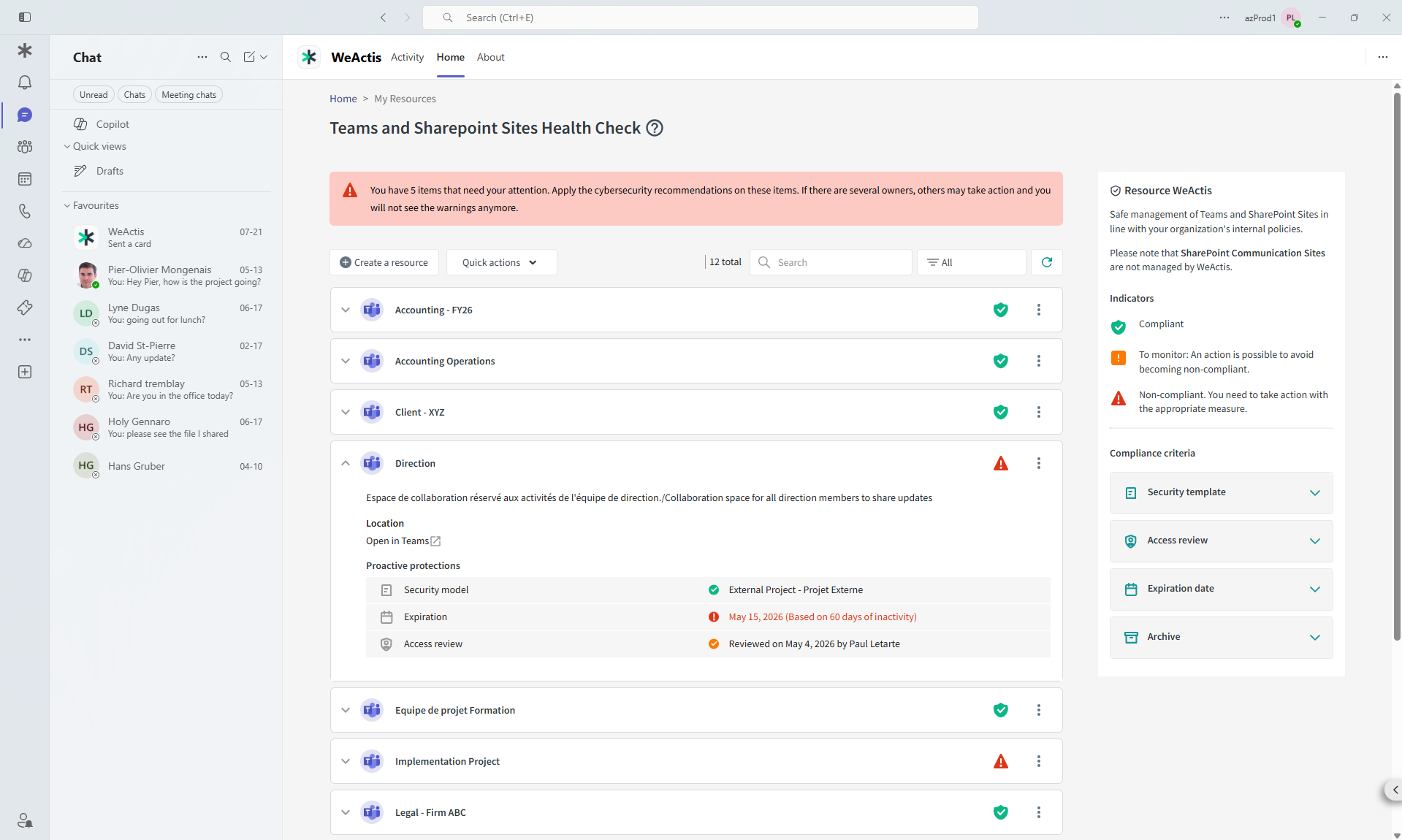
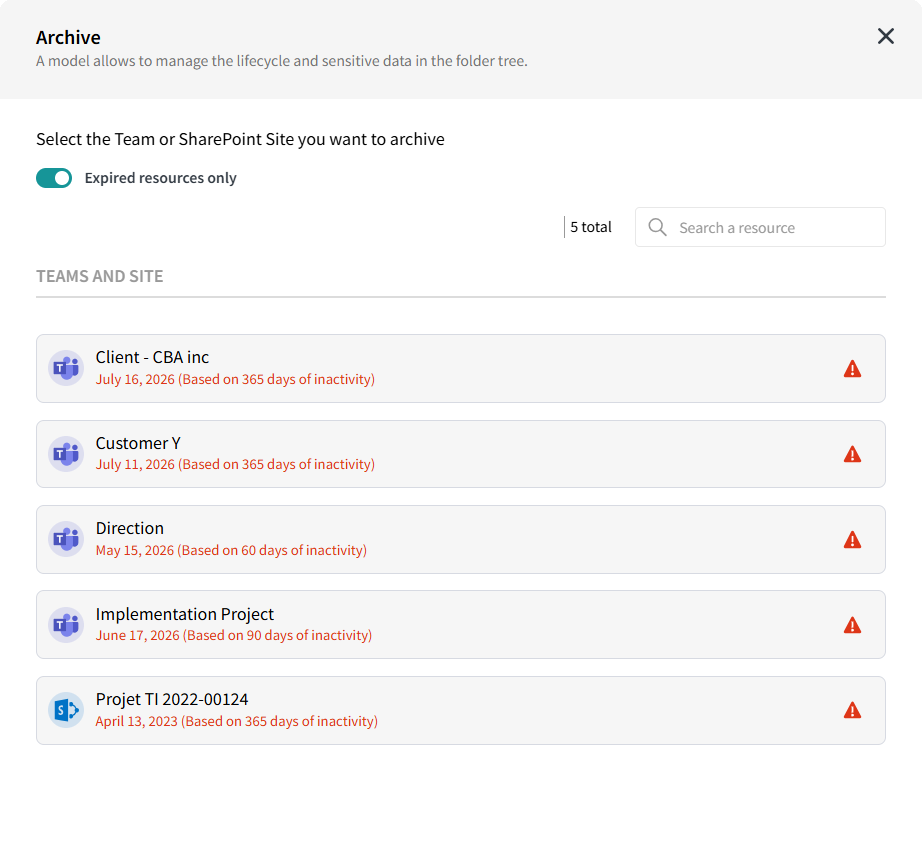
Owners archive the Teams and SharePoint sites they no longer need in a few clicks, closing every share and access right at once.


Teams and SharePoint sites nobody uses anymore rarely get decommissioned. The tools to archive them already exist, but deciding which ones are actually safe to archive requires business context IT doesn't have. They sit fully permissioned and fully exposed, indefinitely, simply because cleanup was never anyone's job.
recurring, undecided storage spend from just 50 TB of overflow
Mondata analysisWhen a site nears its expiration date, based on inactivity or creation date, the owner is nudged through a Microsoft Teams message to either extend it or archive it. Archiving requires the owner to type a confirmation. Where Microsoft 365 Archive is configured, the site moves directly into that cold storage tier. Where it is not, WeActis removes access immediately through its own archiving workflow, and queues it for admins to review and delete according to policy. Either way, prior owners lose access as soon as archiving is confirmed.
If an owner does not control every private or shared channel inside a Teams site they are archiving, WeActis validates that upfront and offers guided paths forward, rather than a silent failure.
Microsoft 365 Archive allows you to save up to 75% of your additional SharePoint storage cost without even deleting data.
Archive in a few clicks

Quick deployment and excellent experience with agile feature support
Director of ITGovernment
Inactivity flags a site. Only the owner knows what to do with it.
A quiet site can still be the active source of truth for something important. A busy site can be full of stale drafts. Only the owner actually knows which is true, which is why archiving decisions belong with them, not with a bulk policy like SharePoint Advanced Management's inactive site rules.

Questions we hear a lot
What happens when a site is archived with WeActis?
Where Microsoft 365 Archive is configured, the site moves to cold storage ($0.05/GB/month). Where it is not, WeActis removes all access immediately through its own archiving workflow and queues the item for admin review. Either way, every share and access right is revoked at once.
How does WeActis trigger the archiving workflow?
When a Teams or SharePoint site approaches its inactivity or creation-based expiration date, the owner is prompted inside Microsoft Teams to either extend it or archive it. Archiving requires the owner to type a written confirmation.
What if an owner does not control every channel in a Team?
WeActis validates channel ownership upfront before starting the archive workflow. If gaps are found, WeActis surfaces guided paths to resolve them before anything is archived, preventing orphaned content.
Why let Teams and SharePoint sites owners decide instead of archiving automatically?
Inactivity alone is not a reliable signal. A quiet site can still be the active source of truth for a contract, a project, or a compliance record, something SharePoint Advanced Management's inactive site rules cannot detect. Only the owner actually knows whether the content is still needed.
Is WeActis Archiving the same as the Archive button in Microsoft Teams?
No. The Microsoft Teams Archive button makes a team read-only but leaves the underlying SharePoint site fully active: storage is not reduced and existing permissions remain. WeActis Archiving moves the content to M365 Archive cold storage and revokes every share and access right at once.
How does WeActis integrate with Microsoft 365 Archive for cold storage?
WeActis connects directly to Microsoft 365 Archive. When an owner confirms archiving, WeActis moves the site to the M365 Archive cold storage tier, reducing per-GB costs by up to 75% while keeping content searchable and restorable if needed.
What is the cost difference between active and archived storage in Microsoft 365?
Active SharePoint storage costs approximately $0.20/GB/month under a standard M365 plan overage. Microsoft 365 Archive cold storage costs $0.05/GB/month, a 75% reduction. For a 50 TB overage, that translates to roughly $90,000 in annual savings.
See everything WeActis can do
See self-directed archiving for yourself.
See how easy it is for a data owner to take action inside Microsoft Teams, no new platform to learn.